



Nulls Brawl PC Download
Run Nulls Brawl on Windows or Mac through BlueStacks 5. No Android phone required. All 106 brawlers at max level from the first launch.
To play Nulls Brawl on PC, install BlueStacks 5 on Windows 10 or later, then sideload the Nulls Brawl APK through the emulator's built-in installer. The whole process takes under ten minutes. You get 106 brawlers, unlimited resources, and full season 53 Windstock content without touching your phone.
What is Nulls Brawl on PC?
Nulls Brawl is a private Brawl Stars server that runs independently from Supercell's official game. The PC version is the same APK used on Android, loaded inside BlueStacks 5, a free Android emulator. You get version v68.279, season 53 Windstock, and both new brawlers Nori and Wendy available from the moment you start.
BlueStacks 5 translates Android touch inputs into keyboard and mouse controls automatically. The default key mapping places movement on WASD, basic attacks on the left mouse button, and supers on the right mouse button. You can remap every action in the BlueStacks controls editor. The result is a control scheme that many players find more precise than a touchscreen, particularly for long-range brawlers like Bea or Piper.
The private server runs its own matchmaking. Your official Brawl Stars account, Supercell ID, and trophy progression are completely separate. Progress in Nulls Brawl is stored through Null's Connect, the private server's own account system, and has no effect on anything in the official game. For common questions, see the FAQ page.
What You Get With Nulls Brawl on PC
Every feature is active from the first session. Nothing is gated behind a grind or a purchase.
Full-Screen PC Gameplay at 60 FPS
BlueStacks 5 renders Nulls Brawl at 60 fps on most mid-range Intel Core i5 systems from 2019 onward. Playing on a 1080p or 1440p monitor gives you a larger field of view than any phone screen. Distant brawlers, gem positions, and safe-zone edges are all easier to read at full resolution. The BlueStacks graphics settings let you cap or raise the frame rate to match your hardware.
106 Brawlers at Max Power Level
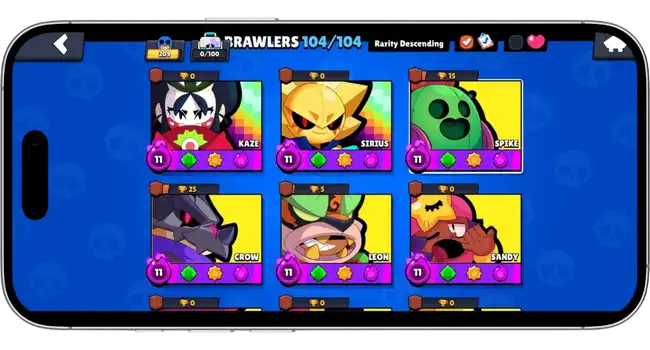
Every brawler in v68.279, including Nori, Wendy, and all legendaries, is unlocked at power level 11 from the home screen. No star power has to be earned separately. You can swap between characters between matches and test any matchup combination without spending a single coin.

Unlimited Gems, Coins, and Resources
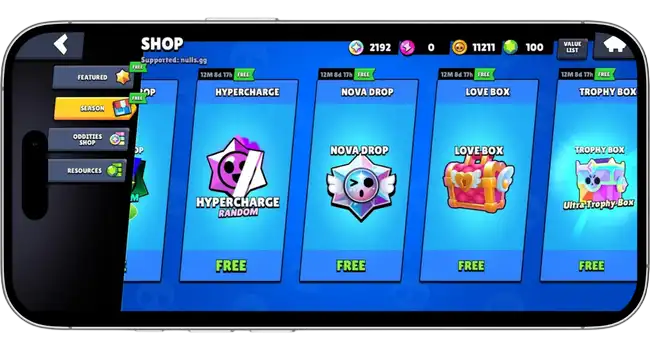
Gems and coins have no cap and no daily limit on PC. You can purchase every available skin, upgrade all gadgets, and buy Brawl Boxes continuously without waiting for a resource timer. The economy works the same as on Android, just with no restriction on how much you can spend in a session.

Every Skin and Cosmetic Unlocked
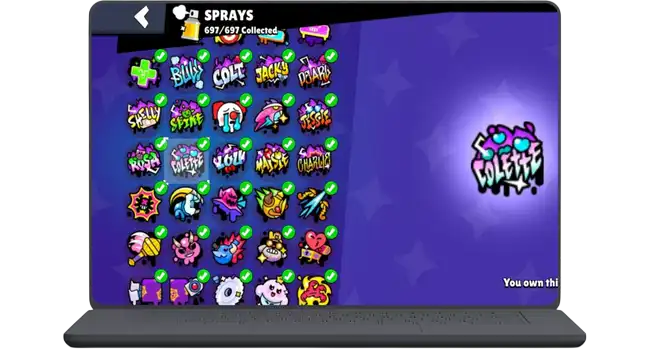
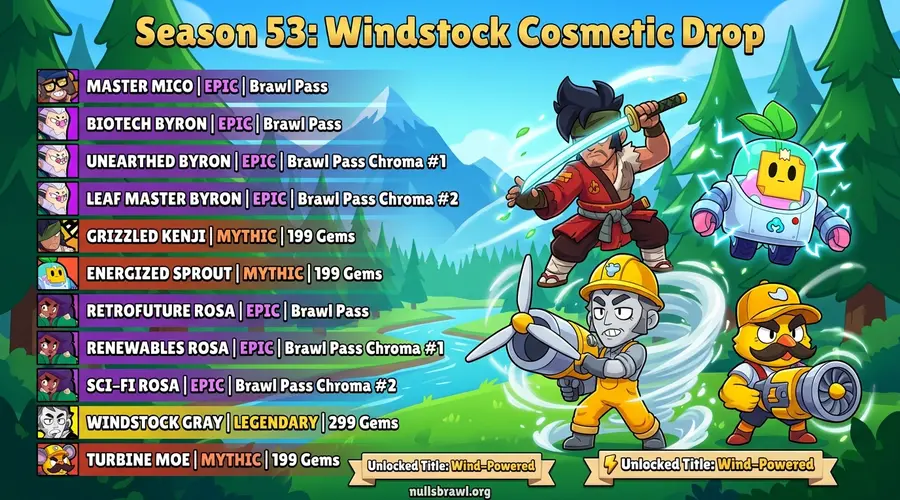
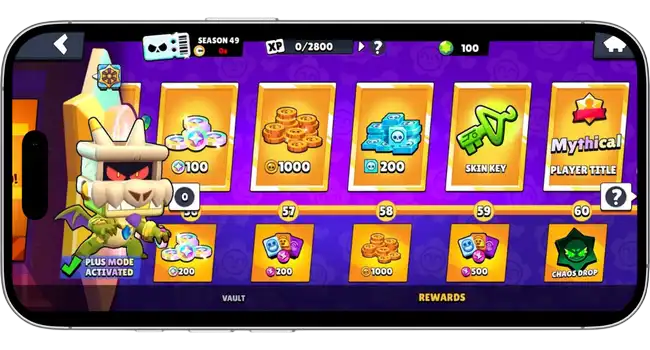
Skins, pins, sprays, hypercharges, and Star Powers are all available at the start. The entire season 53 Windstock cosmetic catalog is open without requiring a Brawl Pass purchase. You can equip any skin on any brawler from the first match.
Season 53 Windstock Content
The full season 53 Windstock update is included in v68.279. All Windstock-themed skins, NanoPower Fusion upgrades for compatible brawlers, and the new maps added this season are active. You do not need to reach any milestone or complete any challenge to access them.
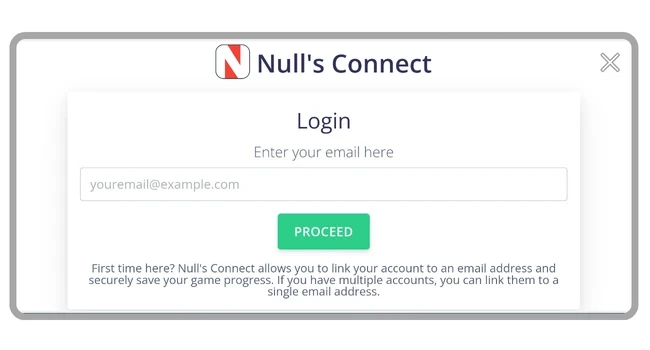
Account Safety Through Null's Connect
Nulls Brawl on PC uses Null's Connect, a separate account system that has no link to your Supercell ID. Your official Brawl Stars trophy count, ranked history, and purchased skins are never touched. The two games run independently whether you use the same machine or different devices.
PC Requirements
How to Install Nulls Brawl on PC
Four steps using BlueStacks 5 on Windows or Mac. The APK installs directly inside the emulator with no extra configuration.
Download and Install BlueStacks 5
Go to bluestacks.com and download BlueStacks 5 for Windows or Mac. The installer is around 600 MB. Run it and follow the on-screen steps. BlueStacks sets up a virtualized Android environment on your machine. The first launch takes two to three minutes while it completes the initial configuration. Make sure virtualization is enabled in your BIOS before starting, otherwise BlueStacks will show a warning and run slowly.
Download Nulls Brawl APK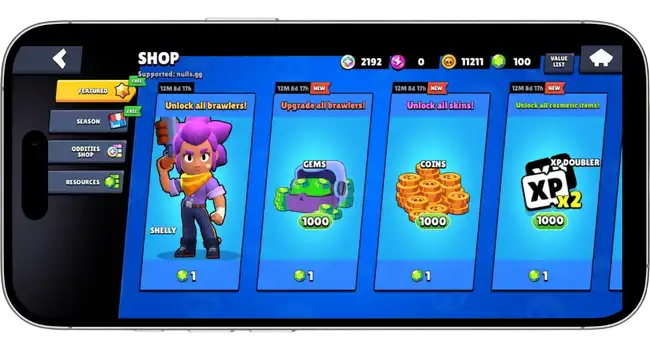
Configure BlueStacks Settings
Before installing the APK, open the BlueStacks Settings panel and go to Performance. Set the CPU allocation to High and RAM to at least 4096 MB. Under Display, set the resolution to 1920x1080 and the frame rate to 60 fps. Go to Game Controls and confirm the Nulls Brawl key mapping profile loaded correctly. These settings prevent stuttering and ensure the game renders at a consistent frame rate on mid-range hardware.
Download and Install the APK
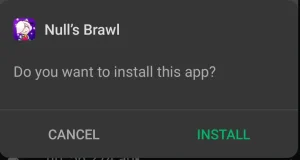
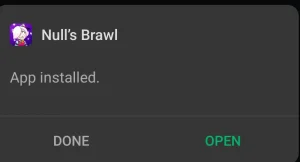
Download the Nulls Brawl APK using the button in step one above. Once the download finishes, double-click the APK file. BlueStacks detects it automatically and opens an install prompt inside the emulator. Click Install and wait about 30 seconds. The Nulls Brawl icon will appear on the BlueStacks home screen when the installation completes.
Launch Nulls Brawl and Sign In
Click the Nulls Brawl icon in BlueStacks to start the game. On first launch it downloads a small update pack, usually under 50 MB. Create a Null's Connect account or log into an existing one to save your progress. Once inside, all 106 brawlers and full season 53 content are immediately accessible. Use the BlueStacks key mapping overlay to adjust any controls to your preference before your first match.
No Android account or Google Play login is required to run Nulls Brawl through BlueStacks. The APK installs as a standalone app inside the emulator.
Alternative Method: LDPlayer 9
LDPlayer 9 is a lightweight Android emulator that works well on older or lower-spec Windows machines. It runs Android 9, which is fully compatible with the Nulls Brawl APK.
Download LDPlayer 9
- ›Go to ldplayer.net and download the LDPlayer 9 installer for Windows
- ›During setup, open LDPlayer Settings, go to Virtualization, and confirm AMD-V or Intel VT-x is active
- ›In the General tab, set Android version to Android 9 and allocate at least 4 GB of RAM to the emulator
Install the Nulls Brawl APK
- ›Download the Nulls Brawl APK using the button below
- ›Drag the APK file directly onto the LDPlayer window or use the toolbar's APK installer icon
- ›Click Install when the prompt appears inside LDPlayer and wait for the icon to appear on the home screen
Launch and Play
- ›Tap the Nulls Brawl icon inside LDPlayer to open the game
- ›Sign in with Null's Connect to save progress across sessions
- ›Use LDPlayer's key mapping tool under the keyboard icon on the side toolbar to set up your preferred controls
Game Modes on Nulls Brawl PC
All standard Brawl Stars modes are available on the private server. Playing on PC adds keyboard shortcuts and a wider screen view that change how each mode feels.
Gem Grab
Your team collects 10 gems and holds them until the countdown ends. On PC, the larger screen lets you track all three lanes and both gem spawns simultaneously without rotating the camera. Keyboard movement also makes it faster to retreat to the center when the gem carrier is threatened. Testing support brawlers like Poco or Max at full power level is straightforward since every build is available from the start.
Brawl Ball
Score two goals before the opposing team in a short-field format. Mouse aiming makes curved shot angles with brawlers like Mortis or Frank noticeably more consistent than tap controls. The wider field of view on a monitor lets you see all five opposing positions before committing to a push, which reduces blind-side losses.
Heist
One team attacks the enemy safe while the other defends it. PC controls give siege brawlers like Dynamike and Barley a precision advantage when landing indirect shots over walls. You can test every siege composition in a single session since all 106 brawlers are available at max power, cutting out weeks of grinding for specific unlocks.
Showdown
Solo or Duo last-player-standing in a shrinking arena. The keyboard's WASD movement gives you full diagonal control with no input lag from a touchscreen, which matters when dodging in close-range brawler fights. Solo Showdown is the fastest mode for stress-testing a new brawler against real opponents without needing a pre-made team.
Knockout
Three rounds of elimination with no respawns per round. Brawler selection is punished harshly in this mode, so having all 106 characters available at max level lets you adjust your pick between rounds based on what the opposing team is running. The wider monitor view helps with reading sightlines on maps like Belle's Rock.
Ranked
The Nulls Brawl private server runs its own trophy leaderboard, fully separate from Supercell's official ranking. You can climb through every rank tier without any risk to your real account standing. PC controls give a consistent input advantage in high-level ranked play, particularly in modes like Knockout and Gem Grab where positioning decisions come quickly.
Why Play Nulls Brawl on PC?
Six reasons a PC session beats playing on a phone.
Bigger Screen Means Better Visibility
A 24-inch 1080p monitor gives you roughly four times the pixel area of a 6.5-inch phone display. Gem positions, enemy brawler outlines at range, and safe-zone edges that are easy to miss on a small screen become immediately obvious. This is especially useful on larger Showdown maps where tracking all remaining opponents is critical to survival.
Keyboard Key Mapping for Precise Control
BlueStacks maps movement to WASD and auto-fire to left mouse click by default. Right-click activates the super, and number keys fire gadgets and hypercharges. Mouse aiming lets you place shots with sub-pixel accuracy rather than estimating joystick angle on glass. Long-range brawlers like Bea, Piper, and Belle in particular benefit from this level of control precision.
No Battery Drain or Device Heat
Running Nulls Brawl at 60 fps for extended sessions pushes a phone's CPU and GPU hard enough that most devices throttle after 20 to 30 minutes. A desktop or laptop draws from wall power and manages heat through a full cooling system. You can run three-hour sessions at consistent frame rates without the device getting hot to the touch.
Record and Stream Without Extra Software
BlueStacks runs as a standard Windows application, so OBS and other capture tools detect it as a regular screen region. You can record gameplay directly in OBS, stream to Twitch or YouTube, or clip highlights in the Windows Game Bar without any additional configuration. Mobile capture requires a separate recording device or a screen recorder app running on the phone simultaneously.
Cross-Platform Lobbies With Mobile Players
PC and mobile Nulls Brawl players share the same private server matchmaking pool. You are not isolated in a PC-only bracket. Queue times stay consistent with what mobile players experience, and you can team with friends playing on Android without any additional setup.
Zero Risk to Your Mobile Account
Nulls Brawl PC stores all progress through Null's Connect, the private server's own separate account system. Your Supercell ID and official Brawl Stars account are on different servers entirely. There is no ban risk to your real account from playing on the private server, on PC or otherwise. The full safety breakdown explains why.
Is Nulls Brawl Safe to Install on PC?
Nulls Brawl is a private server running independently from Supercell's infrastructure. Installing it through BlueStacks on PC does not modify Windows system files, does not interact with your official Brawl Stars account, and does not touch your Supercell ID.
Your Mobile Account Is Untouched
Nulls Brawl on PC communicates only with the private server's own infrastructure. Your Supercell ID, official trophy count, and ranked history exist on Supercell's servers and are never read or written by anything running inside BlueStacks. The two games share no data at any point.
BlueStacks Is a Legitimate Emulator
BlueStacks has been publicly available since 2011 and is used by over 500 million registered users worldwide. It installs as a standard Windows application and operates inside its own sandboxed virtual machine. It does not modify kernel files, disable system protections, or install any background services outside of its own installer scope.
No Modification to Your PC System Files
The Nulls Brawl APK runs entirely inside the BlueStacks virtual machine. It writes its own data to BlueStacks' sandboxed storage container and cannot access your Windows user folders, browser data, or other installed applications. Uninstalling BlueStacks removes everything the emulator wrote during its time on your machine.
The APK File Is the Same One Used on Android
The file you download for PC is the same APK distributed for Android devices. There are no additional components bundled for the PC version. You can verify the file hash against any Android installation of the same Nulls Brawl version to confirm they match.
Common PC Install Issues
Frequently Asked Questions
Yes. BlueStacks 5 has a native Mac version compatible with macOS 12 Monterey and later, including Apple Silicon M1, M2, and M3 chips through Rosetta 2. Download the Mac version of BlueStacks from bluestacks.com and follow the same APK install steps. Performance on M-series MacBooks is generally better than on equivalent Intel hardware due to the chip architecture.
Play Nulls Brawl on PC Today
Works on Windows 10, Windows 11, and macOS 12 or later. Free to install, no Android phone required, and your official Brawl Stars account is never affected.
Download APK for PCv68.279 · 290 MB · Free